
UX Design / Figma / Prototyping / Product Design / Stakeholder Collaboration
Lead Generation Tool
A CIO-level redesign — modernizing a legacy sales tool from discovery through fully interactive prototype.
THE PROBLEM.
Pavion's sales team was using a legacy lead tracking tool that had accumulated years of usability debt. The interface was cumbersome to navigate, lacked features reps needed to manage their pipeline effectively, and gave managers little visibility into their team's activity. The result was a tool people worked around rather than with.
The ask was to modernize it — from the ground up.
MY ROLE.
I owned the UX design process end-to-end. Discovery, design, iteration, and prototype delivery — all of it. This was one of my first major projects at Pavion and it put me directly in front of executive leadership, collaborating closely with my manager and the CIO over several months to define requirements, challenge assumptions, and deliver something the sales organization would actually adopt.
THE PROCESS.
Discovery I started by understanding where the existing tool was failing — what frustrated reps, what they worked around, and what they needed that simply wasn't there. Those conversations shaped every design decision that followed. The core problems were clear: too many steps to log a lead, no pipeline visibility for managers, and a visual design that felt dated and inconsistent with the rest of the organization's tools.
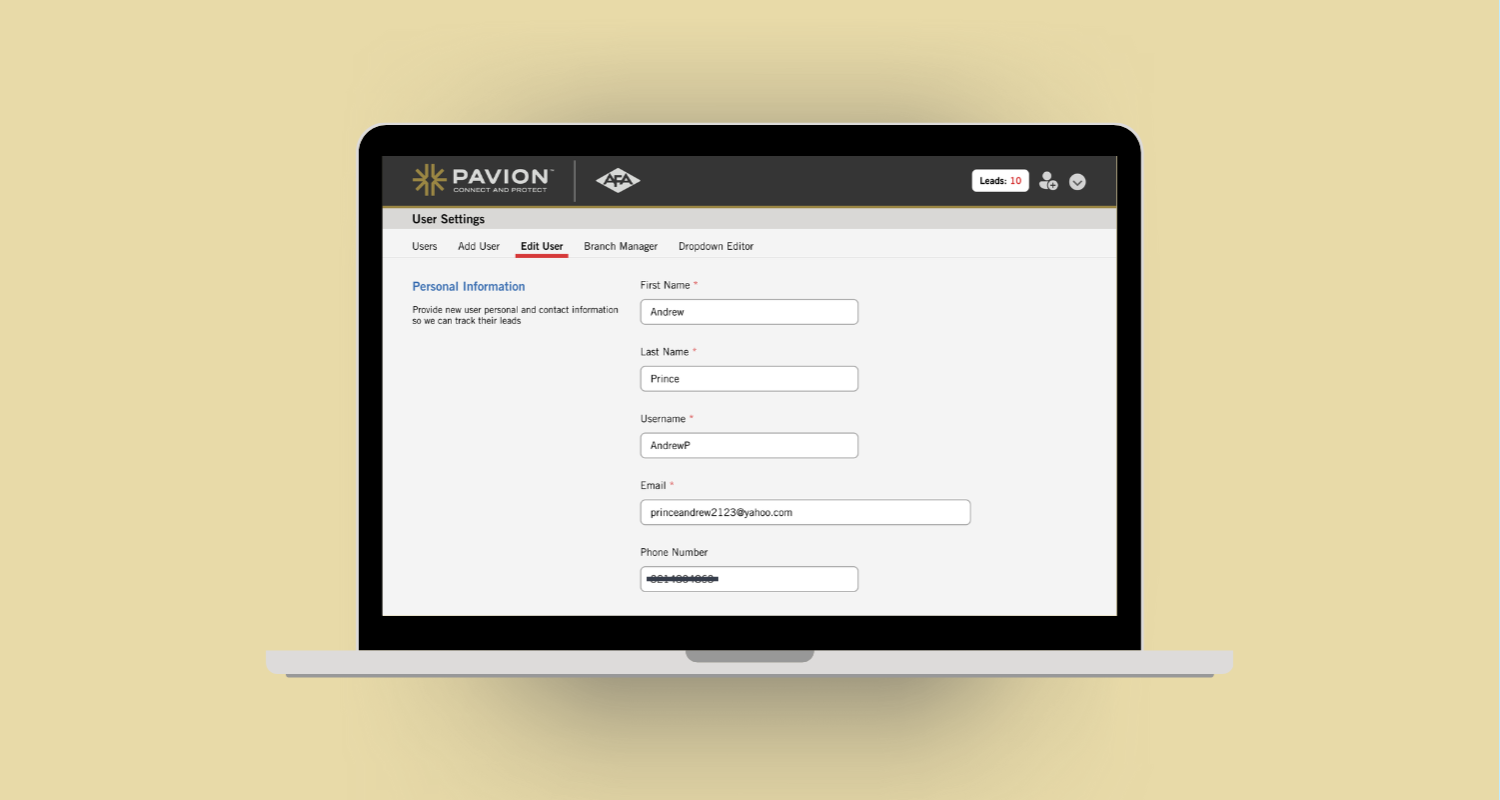
Design & Iteration I designed the new interface in Figma, focusing on three things: reducing the number of steps to log and update a lead, improving visual hierarchy so the most important information was immediately visible, and adding manager-facing pipeline views that gave leadership a clear picture of their team's activity. The design went through multiple rounds of review and iteration with my manager and the CIO — each round tightening the solution and building alignment before we moved forward.
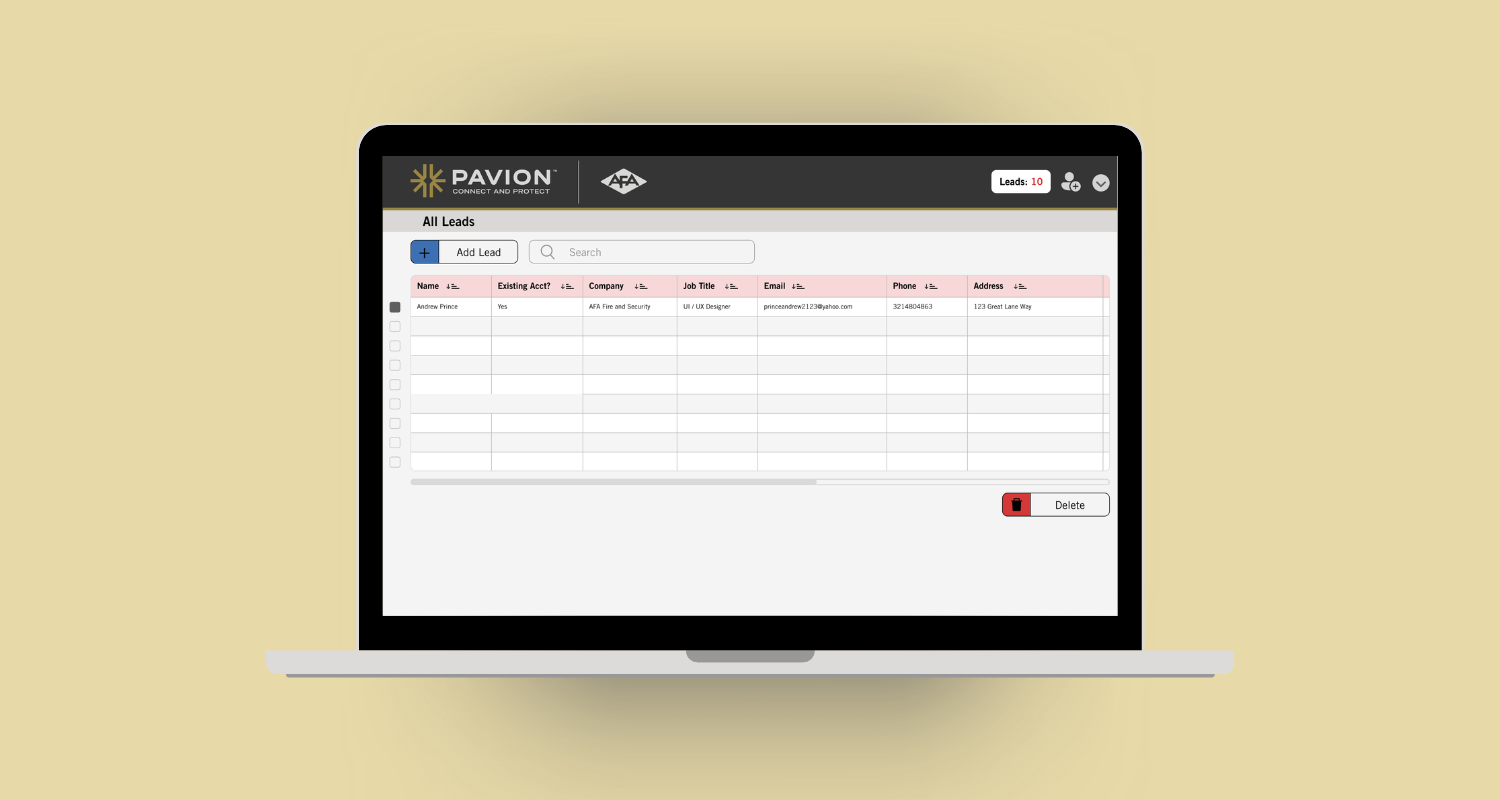
Prototype & Handoff The final deliverable was a fully interactive Figma prototype — clickable, navigable, and detailed enough for a development team to build from. It wasn't a mockup. It was a spec. The prototype shipped to Pavion's sales organization and was actively used before eventually being retired as the company migrated to Dynamics 365 — a natural sunset for any internal tool as enterprise platforms evolve.
KEY DECISIONS.
Simplified the lead entry flow to reduce friction for reps — fewer required fields upfront, with additional detail accessible when needed rather than demanded at submission.
Added clear status indicators and pipeline views so managers could assess team performance at a glance without drilling into individual records.
Maintained visual consistency with the broader Pavion ecosystem so the tool felt like a natural extension of the platform rather than a standalone build.
Built the prototype to be fully interactive rather than static — this made stakeholder reviews more productive, reduced ambiguity, and gave the development team a precise specification to work from.
THE OUTCOME.
The redesigned tool shipped to Pavion's sales organization and was actively adopted. The project demonstrated the ability to drive a design process from discovery through delivery at the executive level — not just executing visual decisions, but owning the thinking behind them.
THE TOOLKIT.
Design — Figma, Adobe XD, Wireframing, User Research
Process — Discovery interviews, stakeholder presentations, iterative design, prototype handoff
Platform Context — Dynamics 365, Microsoft 365